
This article will discuss how to import expenses in the Bill form.
Steps:
- From the Supplier module. You can create a new bill/purchase invoice from any one of the following sources:
a. Bill > New Bill/Purchases
b. New Bill/Purchases button from the Supplier detail form
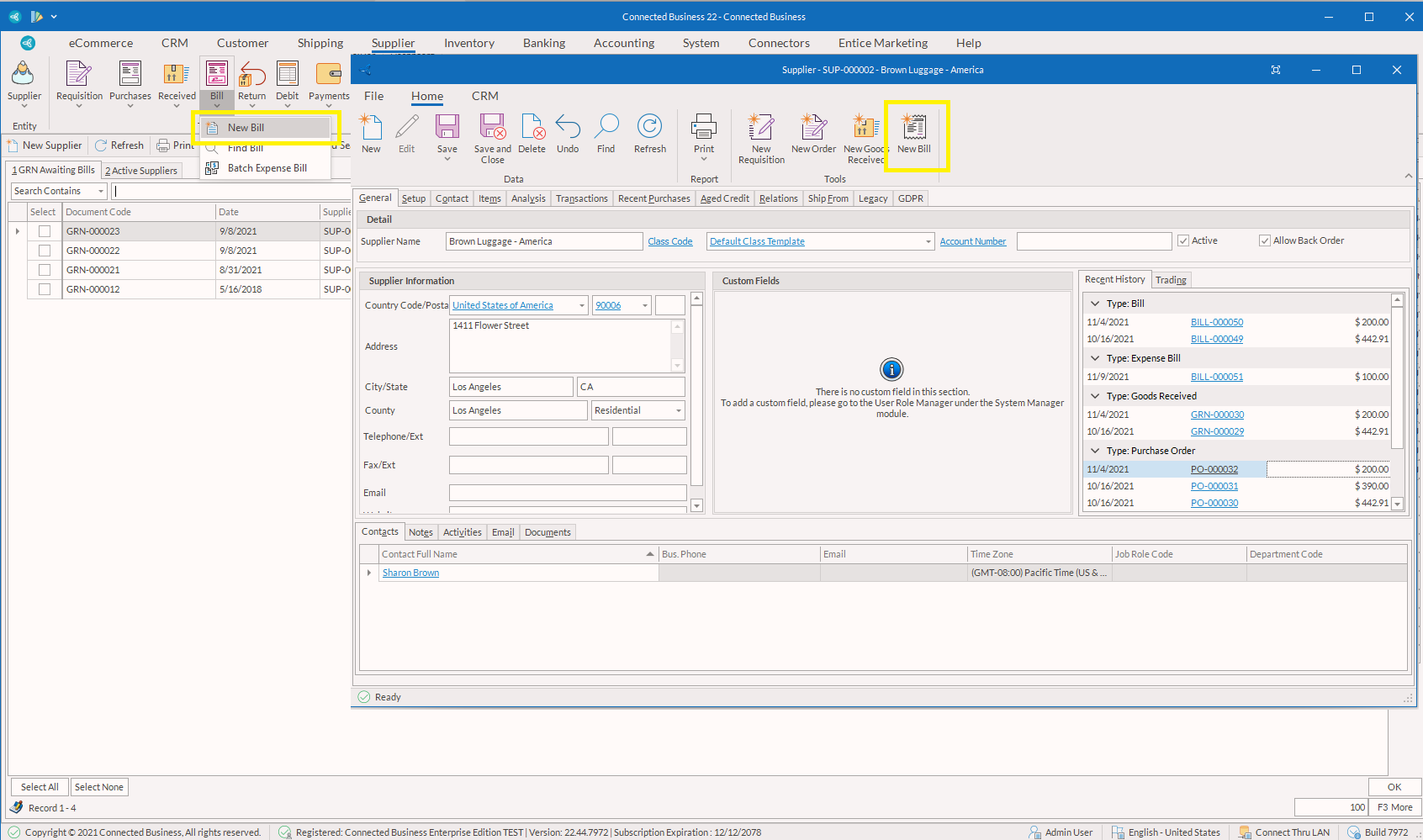
2. The Bill form will be displayed. The Bill form will reflect the details of the supplier. You may modify the default information as needed.
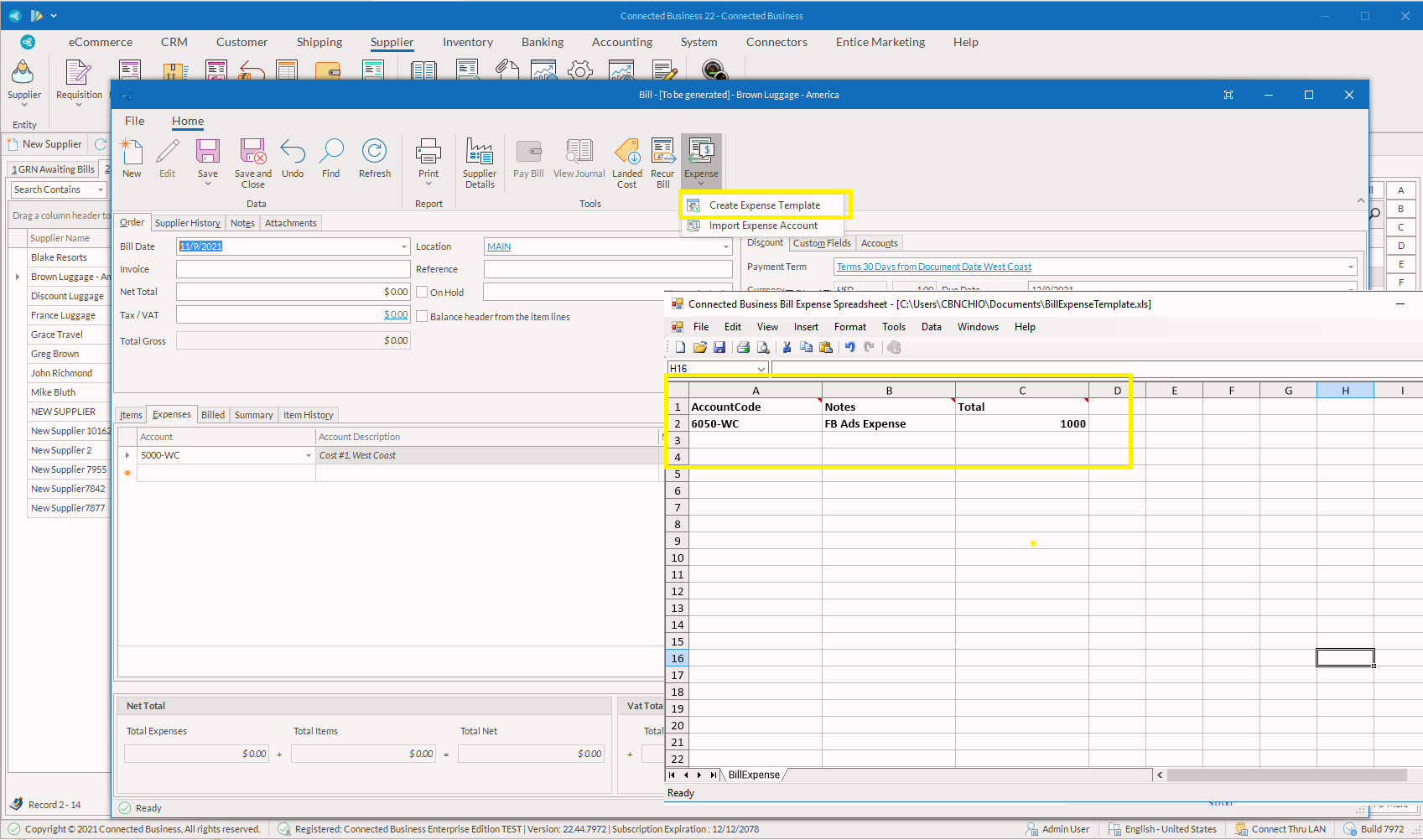
3. On the Bill form, click on "Create Expense Template" and it will show the spreadsheet with predefined columns.
4. You can enter the Account Code, Notes, and Total. Save template.
5. Click on "Import Expense Account" to import the template you just saved and the data will be transferred to the bill form (Expenses tab).
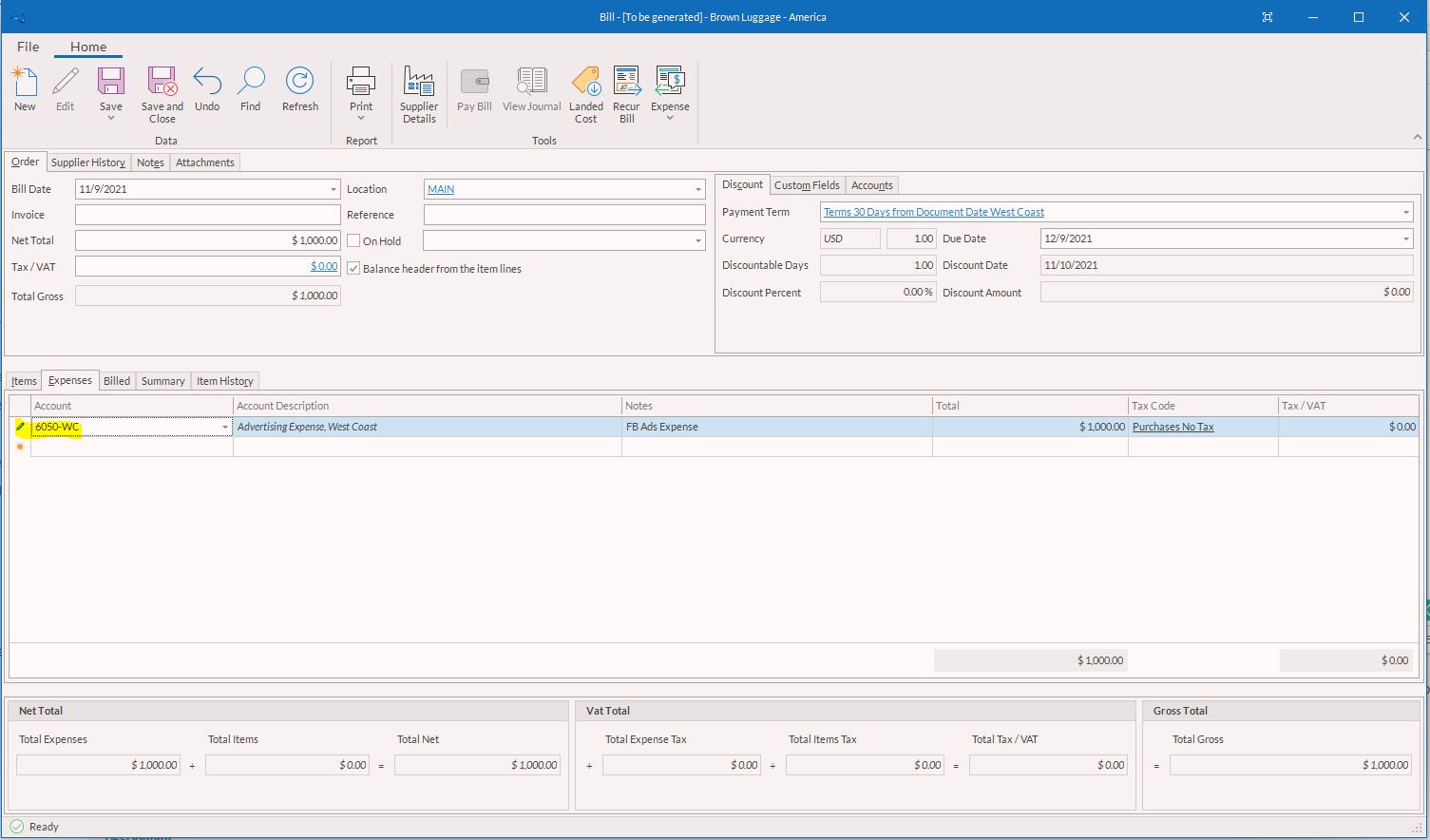
6. Make sure all information is correct before you save and post the Bill.
Applicable Products:
CB22 and higher versions
