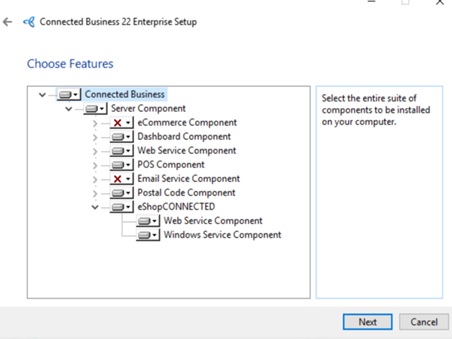
Include eShopCONNECTED component during the installation
Setup Database connection
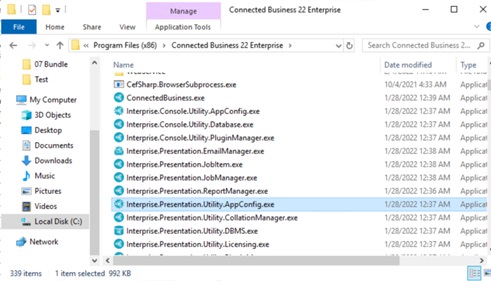
- Go to Connected Business root directory (Default Directory: C:\Program Files (x86)\Connected Business 22 Enterprise)
- Open Presentation.Utility.AppConfig.exe
- Select Open Menu > Configure File and locate eShopConnected Config File
C:\Program Files (x86)\Connected Business 22 Enterprise\eShopCONNECTED\Lerryn.WindowsService.eShopCONNECT.exe.config - Select the Ellipsis Button to enter the Database details
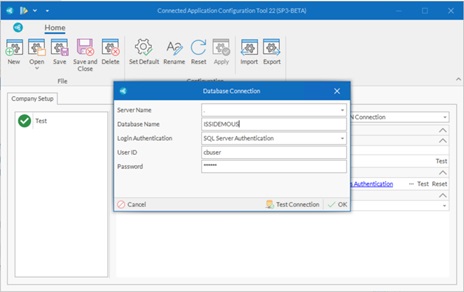
Server Name
Database Name
Login Authentication
User ID (SQL)
Password (SQL)
- Enter the User account that eShopConnected Service will use.
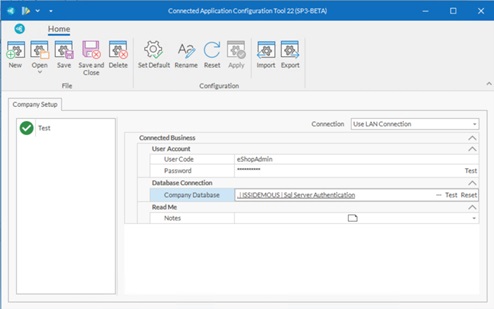
By Default
User Code : eshopadmin
Password : eshopadmin
- Hit Save and Close
Create eshopConnect Windows Service
Bin path : C:\Program Files (x86)\Connected Business 22 Enterprise\eShopCONNECTED\Lerryn.WindowsService.eShopCONNECT.exe
Service Name: eShopConnected<CompanyName>
- Run Command Prompt as Administrator
- Enter command line
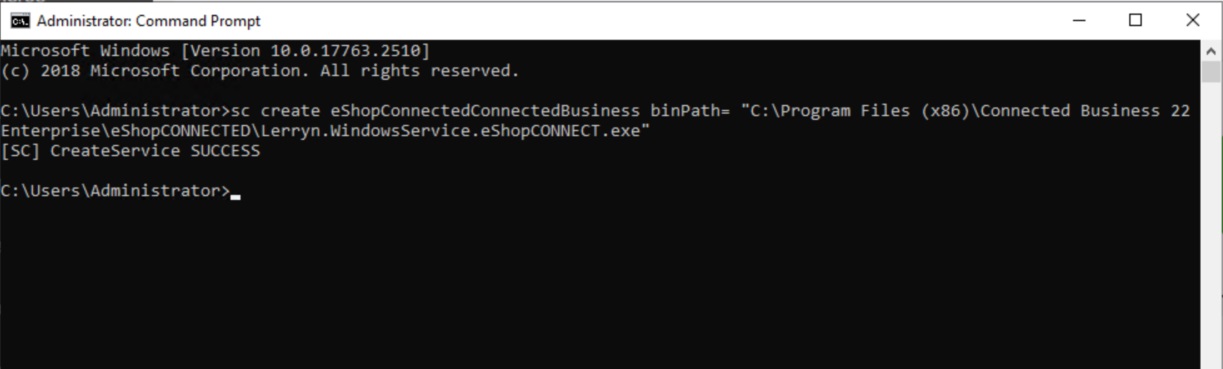
sc create <service Name> binPath= "C:\Program Files (x86)\Connected Business 22 Enterprise\eShopCONNECTED\Lerryn.WindowsService.eShopCONNECT.exe"
Example.
sc create eShopConnectedConnectedBusiness binPath= "C:\Program Files (x86)\Connected Business 22 Enterprise\eShopCONNECTED\Lerryn.WindowsService.eShopCONNECT.exe"