
With Connected Business's most recent build, if you set up your email using a GMAIL account, it does not allow two-step verification.
You can use GMAIL's "app passwords" to log in to applications and hardware that don't support two-step verification.
- Go to myaccount.google.com
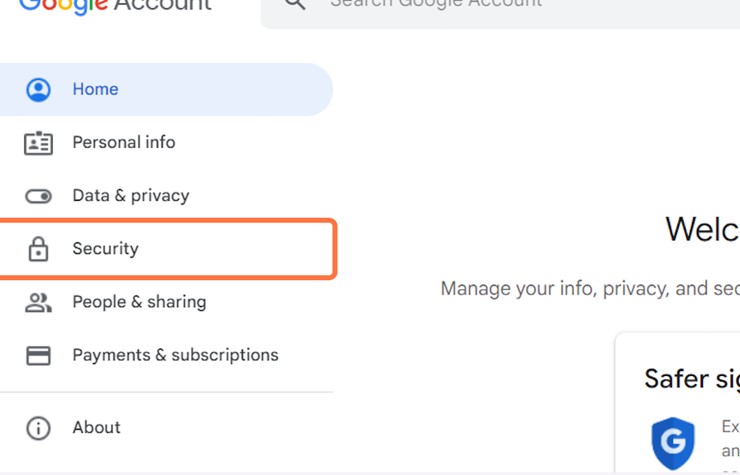
- Click on Security
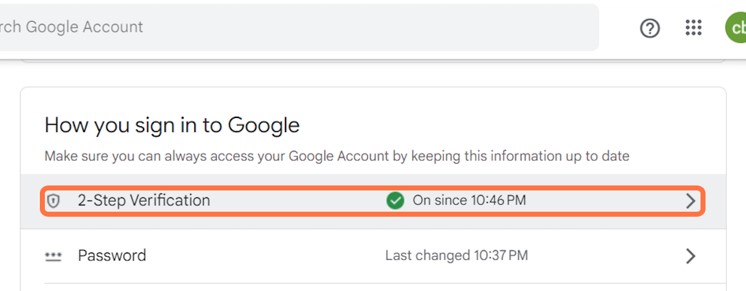
- Under "Signing in to Google," select 2-Step Verification. (you need to initially turn on the 2-Step Verification to access the App Password
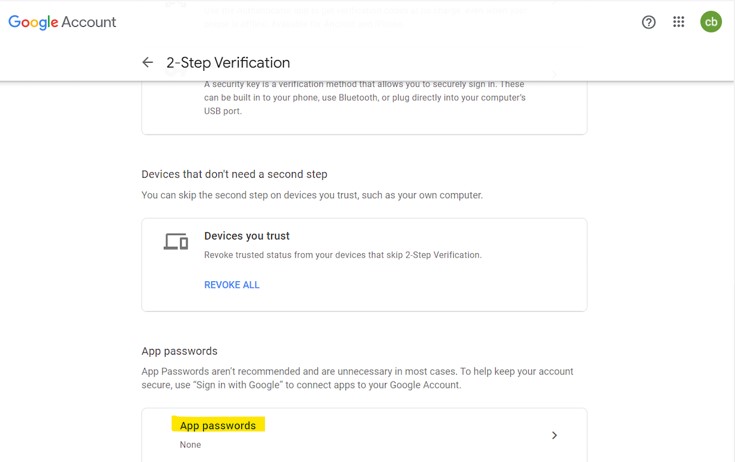
- At the bottom of the page, select App passwords.
- Select the dropdown "Select App" then Other (Custom-name)
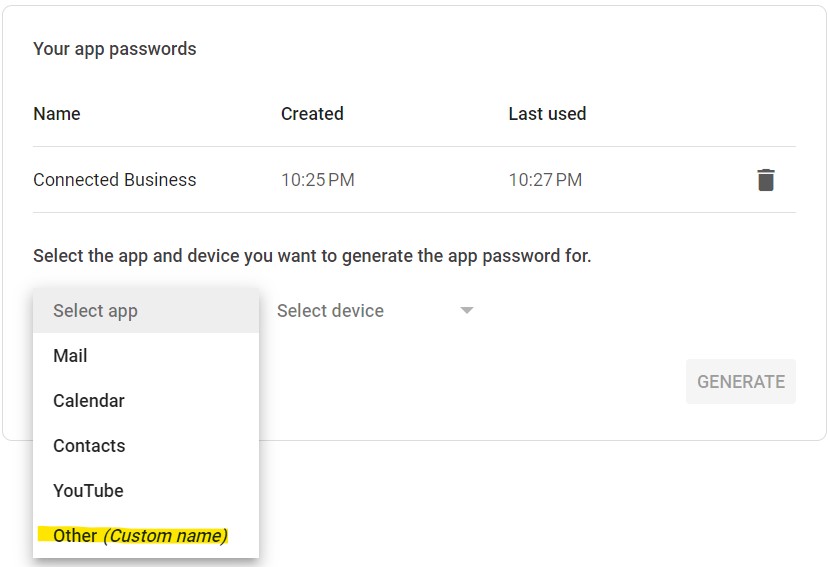
- Enter a name that helps you remember where you’ll use the app password. (eg. Connected Business)
- Select Generate.
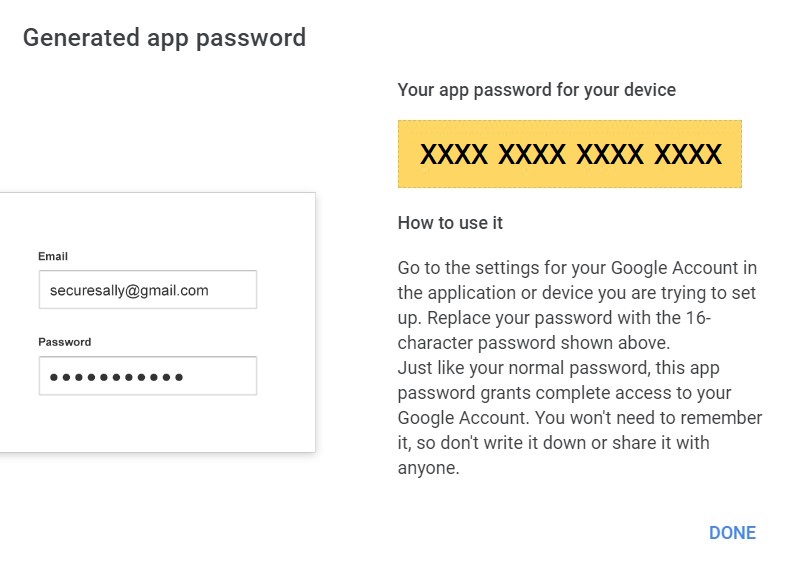
- To enter the app password, follow the instructions on your screen. The app password is the 16-character code that is generated on your device.
- Select Done.
You may proceed with adding an email account using your Gmail email address and the generated 16-digit app password as your password
eg username : cb@gmail.com
password : xxxxxxxxxxxxxxxx
