How To Setup CartRover (Extensiv) Connector and Faire
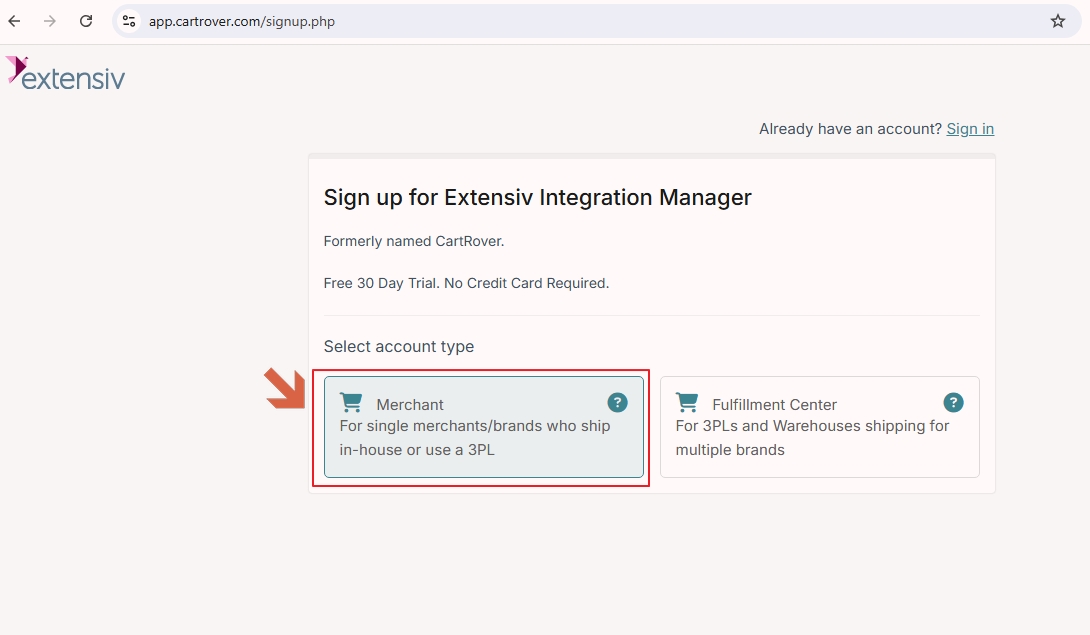
- Contact Extensiv https://www.extensiv.com/contact or signup for a Free Trial Account https://app.cartrover.com/signup.php
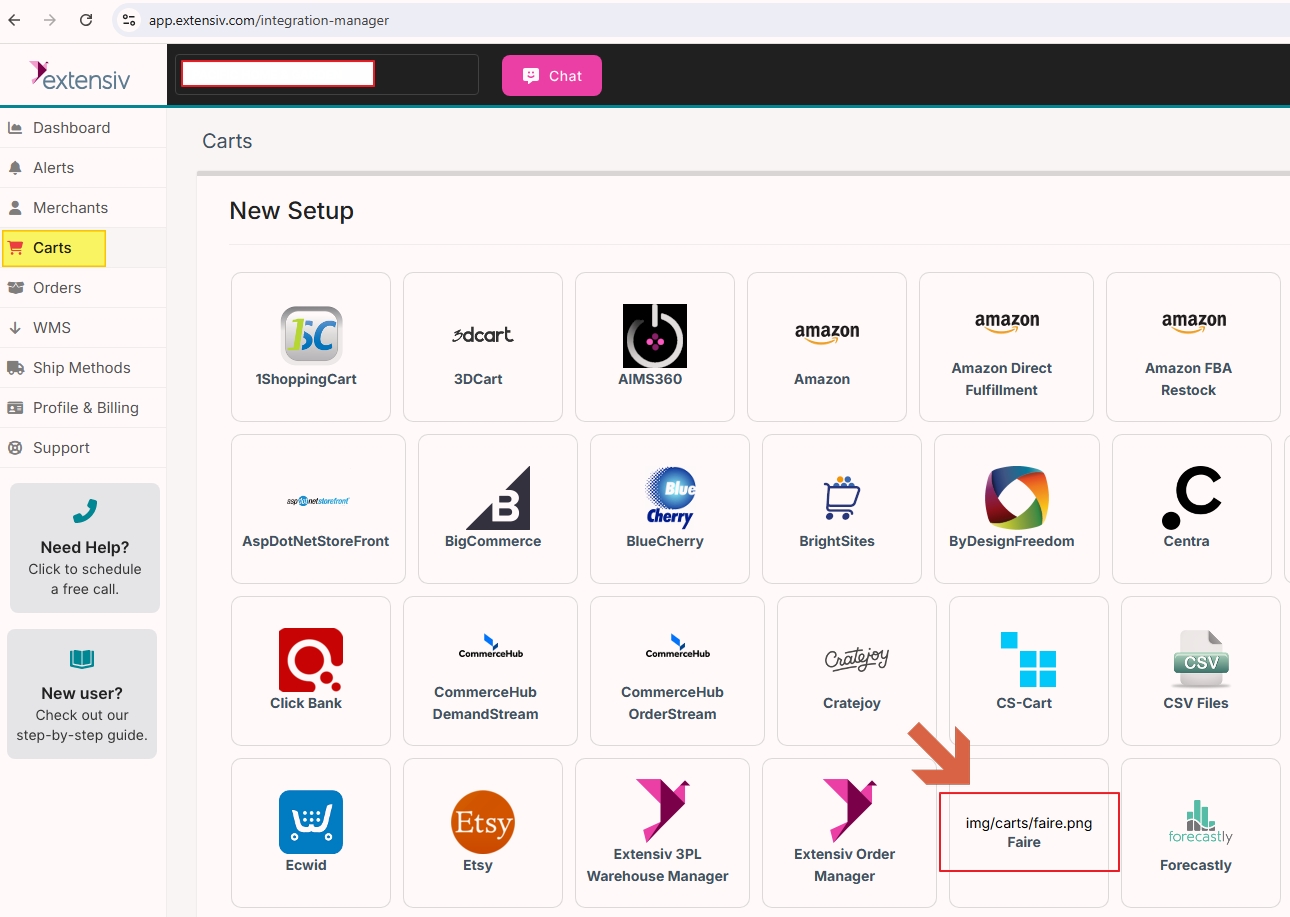
2. Setup Faire in Extensive
Setting Up Faire
https://help.extensiv.com/en_US/366871-faire/1624488-setting-up-faire
Faire Integration Overview
https://help.extensiv.com/366871-faire/1624490-faire-integration-overview
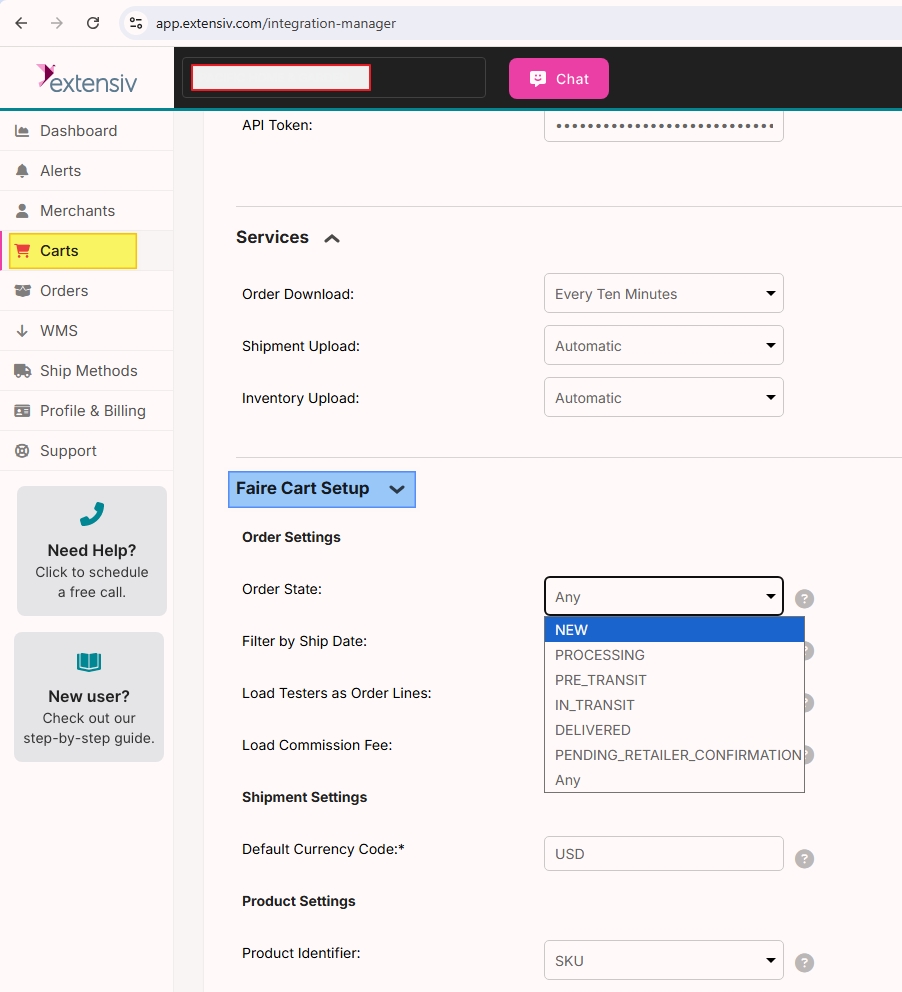
Make sure to setup Faire and set the order status to download.
3. Add "Connected Business" in Extensiv WMS
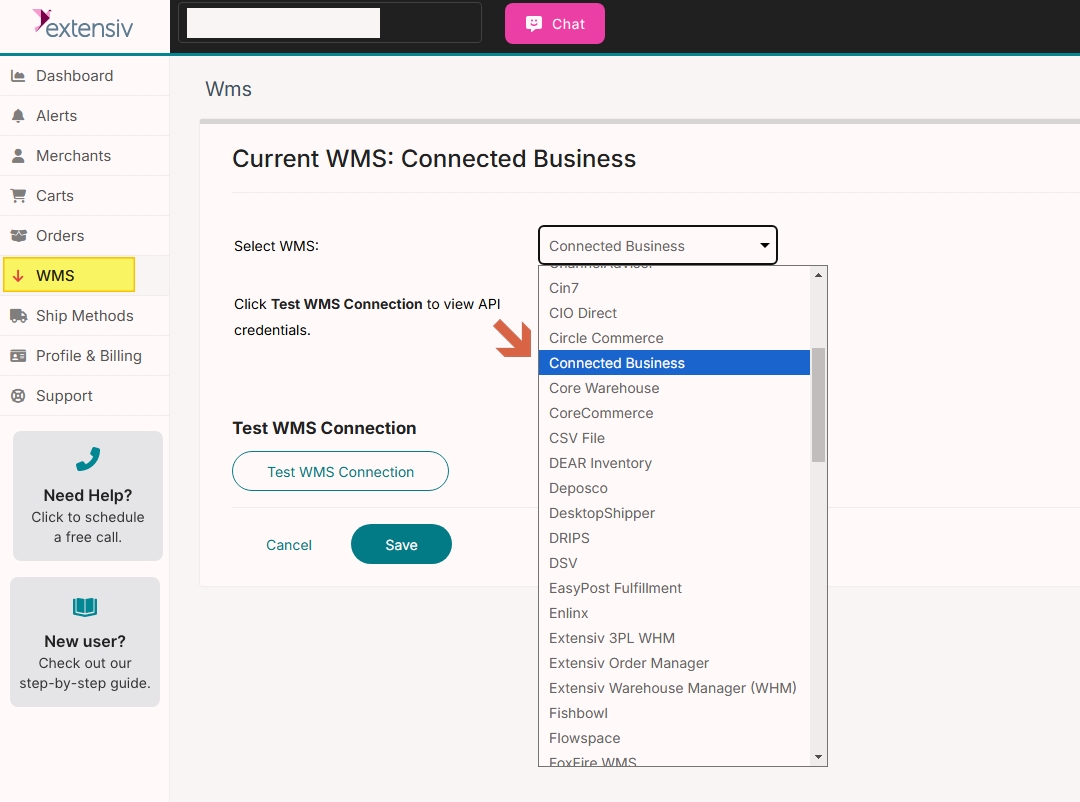
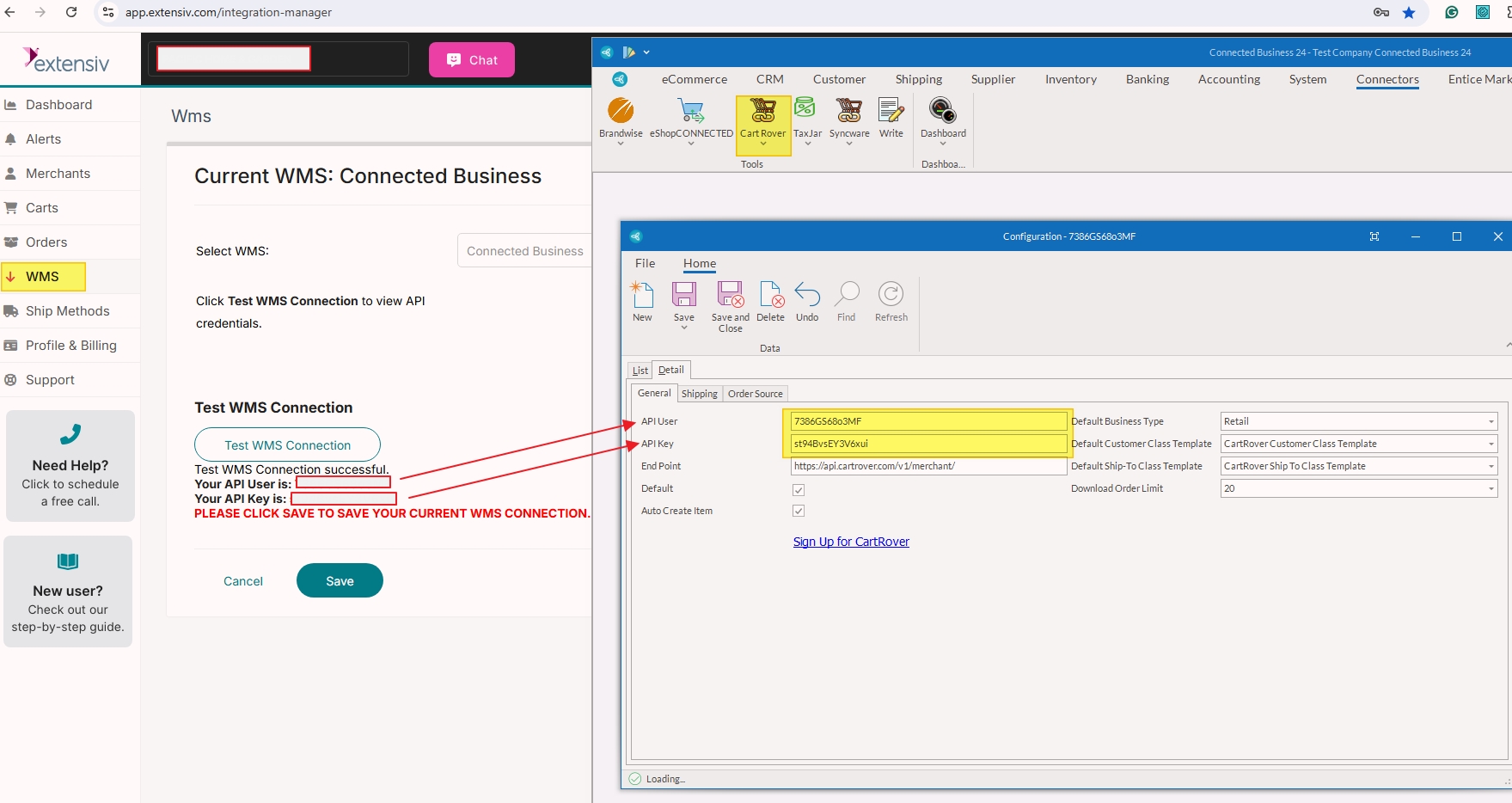
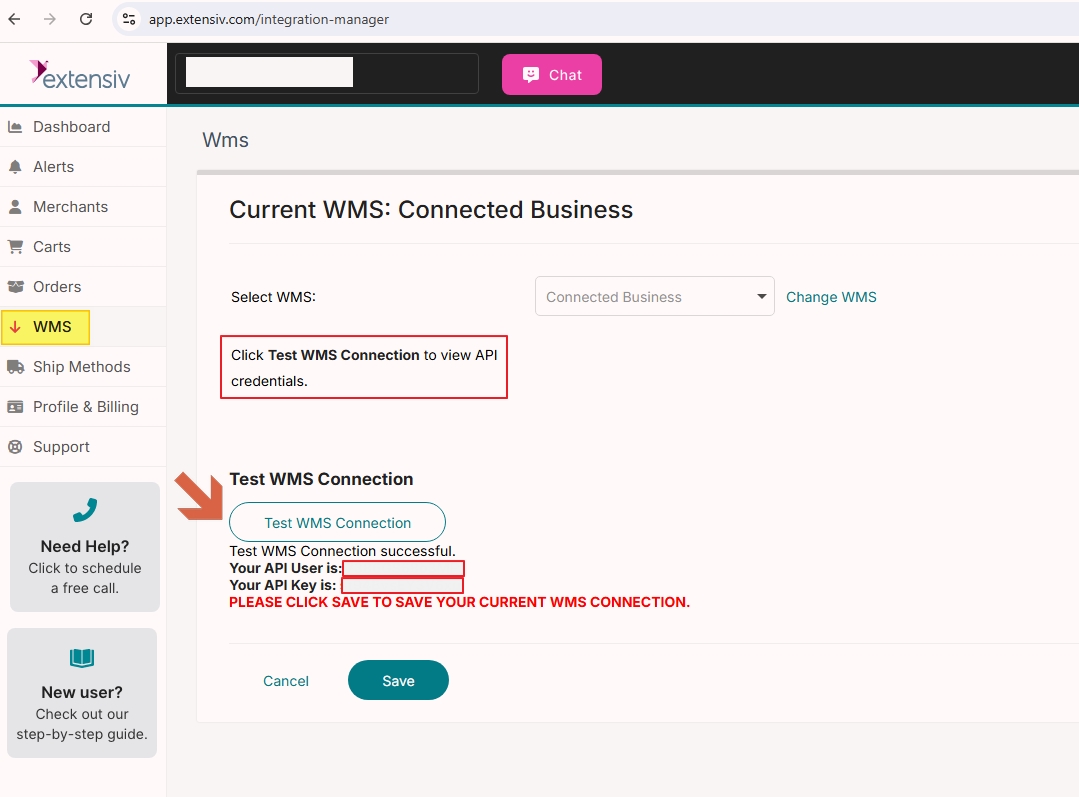
Click Test WMS Connection to view API credentials and Click on SAVE to save the current WMS Connection
4. Setup CartRover (Extensiv) Connector in Connected Business Connectors
https://help.extensiv.com/366934-connected-business/1624737-setting-up-connected-business